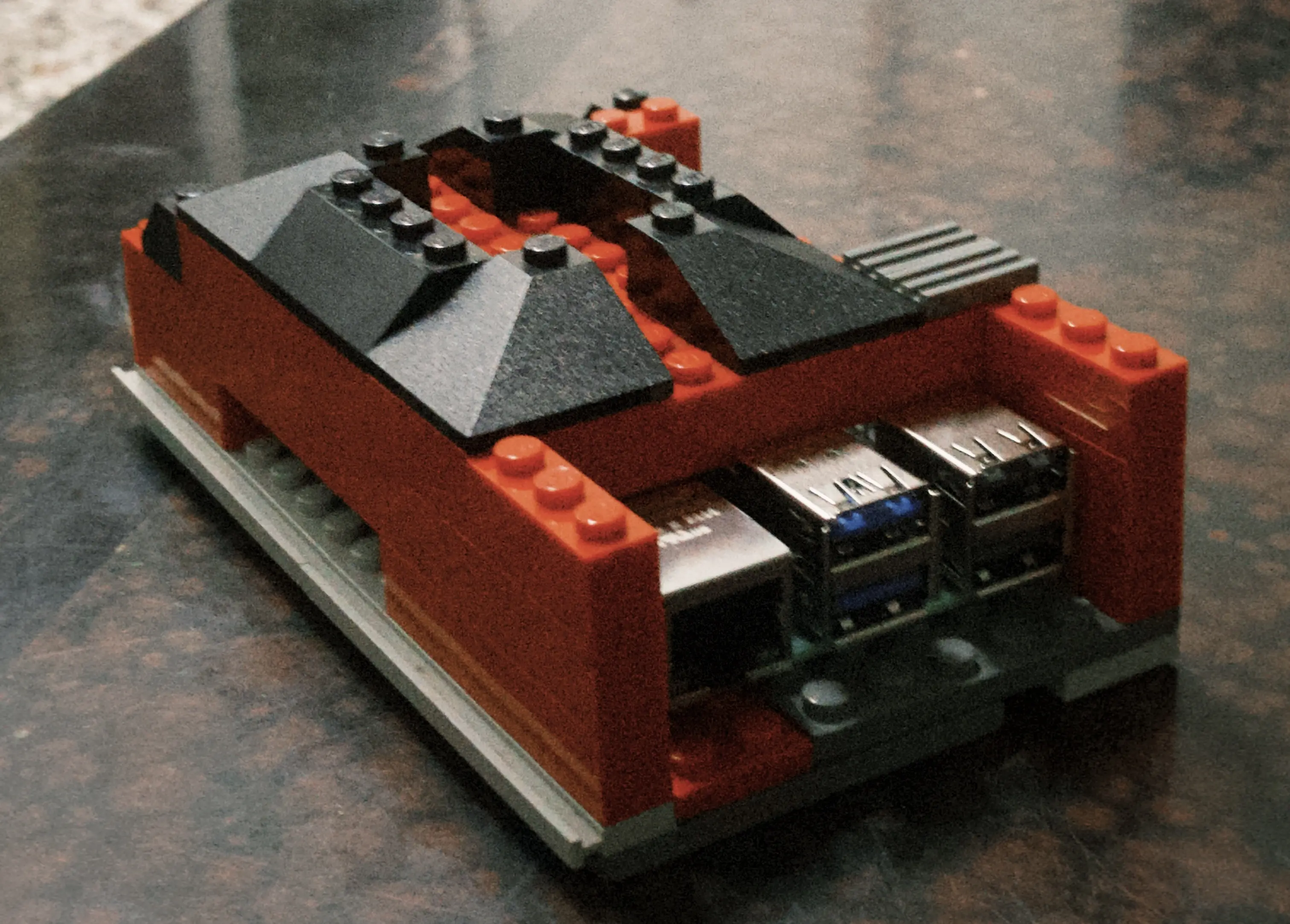

A few days ago, Each’s server had some issues, which made me suddenly feel like my stuff should be on my own. Then I went wild, hosting quite a few things. Another big坑 dug out
Equipment
I don’t have a spare computer at home, since I use my laptop for classes every day and can’t heavily modify it. So the best choice was the Raspberry Pi. I initially thought it might struggle or overheat, but so far it seems to be holding up fine.
Warn: Under-Voltage
The Raspberry Pi requires 5V/5A. The dormitory provides 1A and 2.1A charging ports, but every time I try to start the Minecraft server, it’s a test of luck. Because the power isn’t enough, the Raspberry Pi shuts itself down about half the time when starting. It won’t reboot—it just stays off. This really frustrated me. If I’m trying to remotely start a service and it shuts down, I’d have to go back to the dorm to rescue it. Later, I went home and grabbed a phone charger. It’s not 5V/5A either, so the under voltage warning pops up regularly, but at least it doesn’t shut down directly.
Little Pi’s Home
When I first got it, I was deciding whether to buy a case, and the conclusion was: “Why not build my own?”
So I took out all the Legos at home and found the best candidate was my first Lego set—the Pizza Shop
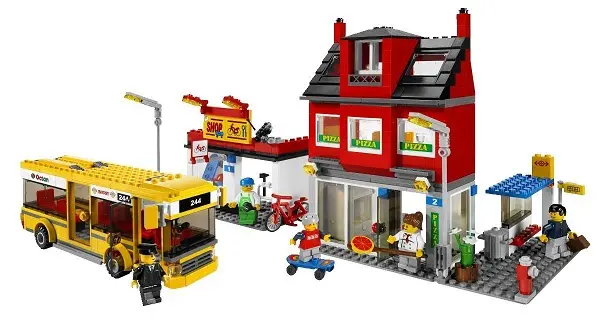
All materials basically came from it. Look closely and you’ll notice the roofs are identical. After a major renovation of the Pizza Shop, it’s the state you see now. But this case’s drawback is poor heat dissipation—even with heatsinks, the temperature reaches 70 degrees during operation.
How to Get Started with Raspberry Pi
When you first get a Raspberry Pi, you need storage to hold its OS. I used a microSD card. Then go to their official website, download the image based on your host OS. While installing, you can eat, watch shows, or play games—it takes about an hour, though it might be my card’s read/write speed. Next, you face a big problem: Pi5 only supports microHDMI. Without that cable, it’s a pain. I simply connected via SSH, but the machine just booted and I don’t know its IP. Even using ip nei, I’d still have to try every device on my network. After connecting, I used the CLI to enable VNC server. If I had that cable, I could’ve saved two hours.
What Did I Host?
AFFiNE
This was the first server I set up. It’s a feature-rich note-taking software—open source and free. What I use it for includes markdown, LaTeX, even Miro ( whiteboard), which looks similar to iOS’s version. Plus it works on all platforms—there’s an app and web version. It can sync data across all devices, making it very convenient for reading.
Syncthing
Syncthing does exactly what its name suggests—syncs files. Because the setup and installation are a bit tricky, it’s better to use it yourself. Mainly, having this means I can sync files to the server without dumping things on big platforms and being limited by file sizes. But without proper security measures, exposing it to the external network is dangerous. It has a login interface, but I don’t know how to use it, so I use internal network penetration instead.
Immich
It’s an open-source cloud photo album service, looking very similar to Google Photos. The advantage of self-hosting is not having to put my album on Google or iCloud, being limited by storage and paying them. Self-hosted means unlimited storage, depending on how big a hard drive you buy. But during setup, because of insufficient power supply, the HDD’s motor couldn’t run, so the hard drive’s super block got corrupted. So don’t use an HDD under voltage conditions—the data will get corrupted and you can only recover part of it. Power supply needs to be at least 20 watts (I’m currently using 20 watts, hasn’t failed yet)
Docker
This is a powerful container, but right now I only know how to use it—I haven’t learned anything advanced yet, so I can’t write much about it. All the services above are running on it.
Cloudflare Tunnel
This is how I expose services to the external network. Create a tunnel to Cloudflare, write config files locally to route, then set up DNS in the Cloudflare dashboard. But the prerequisite is having your own domain—if not, use internal network penetration instead.