How to Set Up a Minecraft Server?
How to Set Up a Minecraft Server?
Preface
I used to host my Minecraft server on other platforms—super convenient! One-click setup, no skills needed, ready to play immediately. But if you don’t log in for too long (not sure if it’s half a year or a year), the server gets deleted and all your progress is gone. Now that I have a host and the knowledge, why not set one up myself?
How to Set Up a Minecraft Server
I’ll only cover how to install on Linux here. If you’re following my tutorial, switch your host to Linux first. I don’t have a Windows device to play on anyway.
Where to host?
According to the official docs, if you’re not expecting too many players:
- CPU: Intel 8th gen or Ryzen 2000 series
- RAM: 2~4GB
I set it up on my Raspberry Pi and it works fine—two or three people playing together is no problem.
Install Java
Since I play the Java Edition, multiplayer means setting up a Java server, of course. First, check if Java is installed. Run in terminal:
java --verionIf something like this appears, Java is already installed:
openjdk 21.0.9 2025-10-21
OpenJDK Runtime Environment (build 21.0.9+10-Ubuntu-125.10)
OpenJDK 64-Bit Server VM (build 21.0.9+10-Ubuntu-125.10, mixed mode, sharing)
If not installed, different OS has different installation methods. Since I use Ubuntu, I’ll only cover Ubuntu—refer to the official docs for other OS:
sudo apt update && sudo apt upgrade
sudo apt install openjdk-21-jdk
Get server.jar
You can directly click this link—this is the latest version 1.21.11 server file at the time of writing. Then run at the file location:
java -Xmx1024M -Xms1024M -jar server.jar --noguiXmx is max memory usage; Xms is min memory usage. The final nogui means no GUI needed—if you don’t add it, maybe a window will pop up? I haven’t tried. After starting then closing, you’ll find many folders created. server.properties is where you configure server environment variables—server name, player limits, difficulty, etc. If you can read English, it’s pretty clear. The world folder, as the name suggests, holds world saves. I tried moving a single-player world folder to the server for multiplayer and it worked directly. Also /world/datapacks/ is where you put mods and texture packs. If they don’t work, you can generate the world in single-player first then move it to the server.
Mod Installation: Atlantis
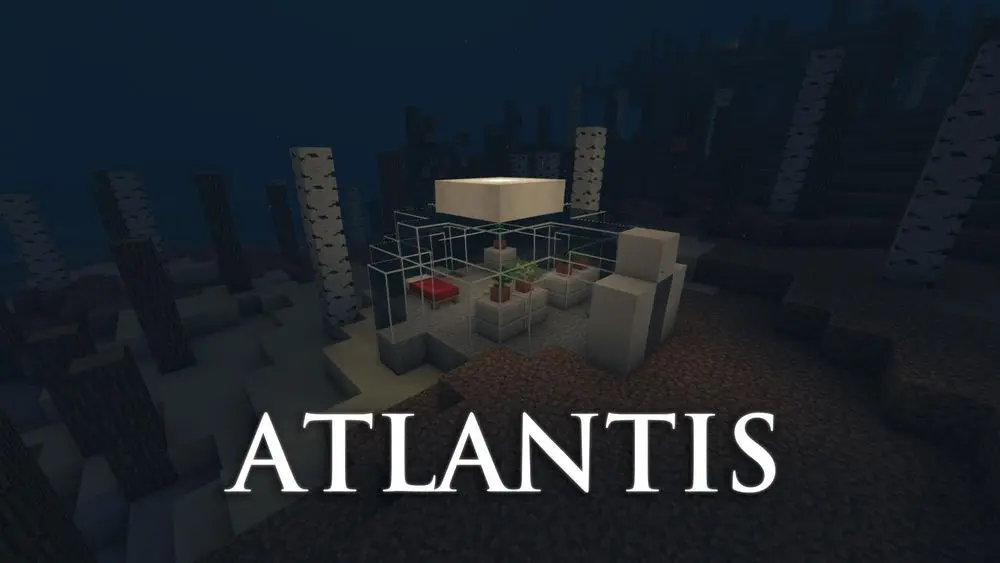
This is a mod I loved from childhood. Your spawn point is in a small glass house, and the whole world is underwater. For details, check Wu Qiufeng Minecraft Survival - Atlantis - Keep the Last Breath—this is a 12-year-old series from when Minecraft was still at 1.5.1. Playing now is purely completing a childhood dream.
Wu Qiufeng played 1.5.1. Recently, someone remade it, making it playable on 1.21+. For installation, go to GitHub to download and experience the underwater world you wanted as a kid. Installation is super easy—just put the downloaded zip file in /world/datapacks/ and you’re done. If you’re too lazy to set one up or want to play with me, email me and I’ll try to get you in.